

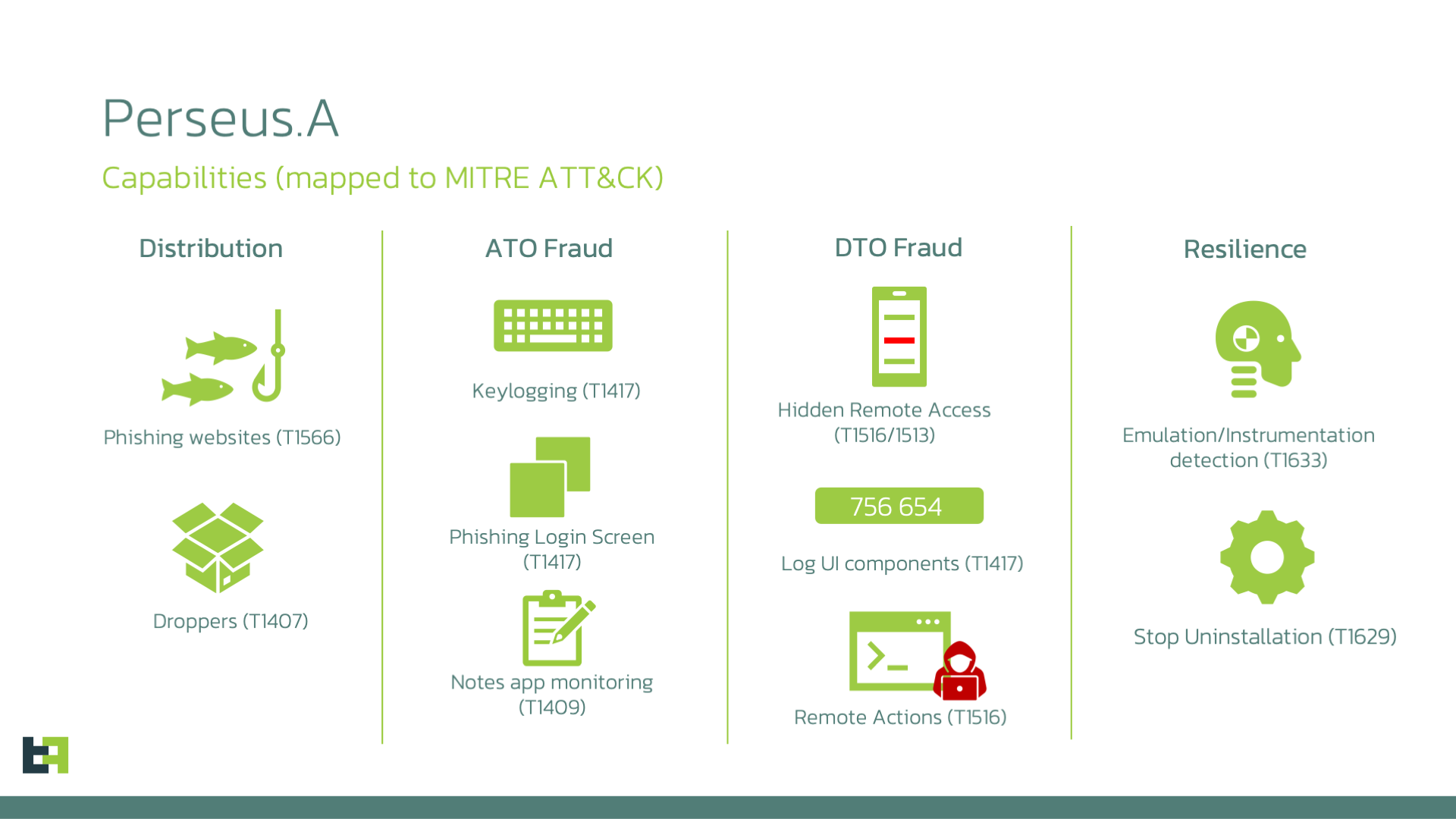
Your digital “sticky notes” are no longer private. A sophisticated new threat dubbed Perseus has turned the very tools we use for organization—note-taking apps—into a goldmine for cybercriminals. As of Saturday, March 21, 2026, security teams are warning that any sensitive data stored in plain text on your phone is at extreme risk.
Also Read | Imran Khan and Bushra Bibi Sentenced to 17 Years in Jail
Vulnerable Apps: Is Your Data Exposed?
Perseus doesn’t just steal your login credentials; it systematically crawls through your personal archives. The following apps are confirmed targets:
-
Google Keep & Microsoft OneNote
-
Samsung Notes & Xiaomi Notes
-
Evernote & ColorNote
-
Simple Notes (including Pro version)
How Perseus “Reads” Your Screen
The malware utilizes a technique called “UI Iteration.” Once a user grants the app “Accessibility” permissions (often under the guise of an IPTV player or system update), Perseus:
-
Navigates through the app’s interface automatically.
-
Triggers “Click” actions on every individual note.
-
Scrapes the text content from the screen.
-
Performs a “Back” action to move to the next note until your entire library is exfiltrated to a Command & Control (C2) server.
Also Read | Imran Khan and Bushra Bibi Sentenced to 17 Years in Jail
The IPTV Trap: How It Spreads
The most common infection vector is unofficial IPTV apps. In 2026, with the West Asia conflict causing disruptions in traditional broadcasting, many users are turning to third-party APKs to stream news or sports. These files are often “repackaged” with Perseus code. Once installed, the malware hides its icon and begins its silent surveillance.
Reality Check
While Perseus is “extremely dangerous,” it has a major weakness: it requires the user to enable Accessibility Services. Android 13, 14, and the newer iOS-style permission blocks in Android 15/16 make it much harder for sideloaded apps to gain these permissions. If you stick to the Google Play Store, the “Play Protect” service is already being updated to flag the Perseus signature. The risk is almost entirely localized to users who “sideload” apps from the web.
The Loopholes
The malware claims to be an IPTV player. In fact, this is a “Permission Loophole”—by asking for Accessibility to “sync audio/video,” it tricks the user into giving it the keys to the entire operating system. Still, the “Reboot Loophole” remains; while Perseus is persistent, many of its remote-access features can be temporarily disrupted by a hard reboot or by putting the phone into Safe Mode, which disables all third-party apps and allows you to uninstall the intruder.
Also Read | Imran Khan and Bushra Bibi Sentenced to 17 Years in Jail
What This Means for You
If you use an Android device, perform an immediate “Note Audit.”
-
Purge Sensitive Data: Never store banking PINs, ATM codes, or crypto recovery “seed phrases” in apps like Google Keep. If they are there, delete them and clear the “Trash” folder.
-
Revoke Permissions: Go to Settings > Accessibility. If you see any app listed there that you don’t recognize (especially IPTV or “System Tools”), disable it immediately.
-
The “APK” Rule: In 2026, the risk of unverified APKs is at an all-time high. If an app isn’t on the Play Store, do not install it, no matter how much “free content” it promises.
What’s Next
Expect Google to issue a “Play Protect” mass-alert to Android users in Europe and the Middle East by Monday. Then, look for updates from Samsung and Xiaomi for their respective Notes apps that may include “privacy masking” to prevent screen scraping. Finally, expect ThreatFabric to release a full list of “Infected App Names” to help users identify the malware masked as legitimate software.
Also Read | Imran Khan and Bushra Bibi Sentenced to 17 Years in Jail
End…..

