

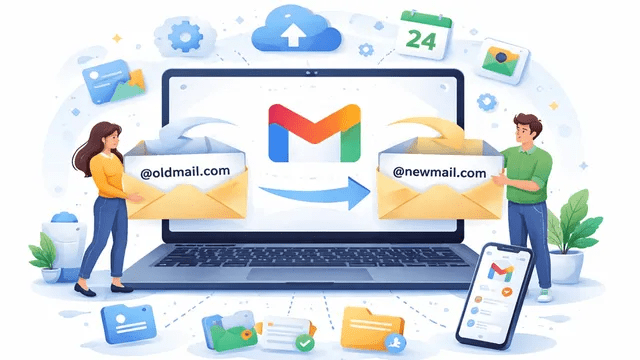
In a move that addresses a two-decade-old user pain point, Google CEO Sundar Pichai announced on Wednesday that users can finally change their Gmail addresses without creating a new account. Referencing the “regrettable” usernames created during Gmail’s 2004 launch era, Pichai joked on X, “2004 was a good year, but your Gmail address doesn’t need to be stuck in it.”
The update allows users to adopt a more professional or relevant identity while keeping their entire history of emails, Drive files, and photos intact.
Also Read | Imran Khan and Bushra Bibi Sentenced to 17 Years in Jail
How to Change Your Gmail Address
The feature is currently rolling out to select users globally. If you have access, here is the workflow:
-
Open Settings: Go to your Google Account settings (via the Gmail app or a web browser).
-
Select Identity: Navigate to the “Personal Info” or “Account” tab.
-
Choose New Name: Select an available Gmail handle.
-
Confirm: Once confirmed, your new ID becomes the primary address for sending and receiving.
What Happens to the Old Address?
Google has implemented a “dual-link” system to ensure you don’t miss important communications during the transition:
-
Permanent Link: Your old address remains permanently tied to your account. No other user can ever “claim” your old username.
-
Unified Inbox: Emails sent to your old address will continue to arrive in the same inbox as your new address.
-
Seamless Transition: You do not need to manually migrate folders, labels, or “Sent” history—the account remains the same; only the “label” changes.
Also Read | Imran Khan and Bushra Bibi Sentenced to 17 Years in Jail
“AI Inbox”: Gemini Now Prioritizes Your Life
Alongside the ID change, Google is launching “AI Inbox” (currently in beta for US users). This feature uses Gemini to transform the inbox from a chronological list into a prioritized task manager.
| AI Feature | Function | Visual Indicator |
| Suggested To-Dos | Pinpoints bills, appointments, and deadlines. | Bold text with highlighted due dates. |
| Topics to Catch Up On | Aggregates travel, dining, and hotel bookings. | Grouped “Summary Cards” at the top of the feed. |
| Clutter Control | Automatically moves newsletters and “social” pings. | Minimizes non-essential threads. |
Investigative Insight: The “Identity Lock” Strategy
Google’s decision to keep old addresses “unclaimable” is a massive security play. In the past, if a user deleted an account to change their name, the old handle could eventually be recycled, allowing a new owner to potentially reset passwords on third-party sites linked to that old email. By keeping both addresses linked to one UUID (Universally Unique Identifier), Google is preventing a massive wave of identity theft.
Furthermore, the AI Inbox marks Google’s intent to turn Gmail into a “Personal Assistant” rather than just a communication tool. By bolding bill payments and due dates, Google is moving toward an “Agentic AI” model where Gemini doesn’t just read your mail—it nudges you to act on it. This feature, combined with the new “Proximity Pairing” in iOS 26.5, suggests a broader 2026 trend where software is becoming more proactive and less reactive.
Also Read | Imran Khan and Bushra Bibi Sentenced to 17 Years in Jail
End……

