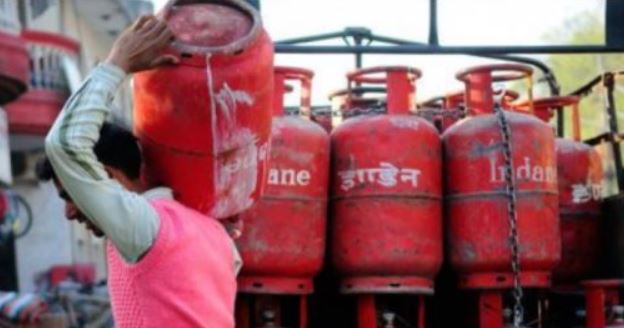
LPG Subsidy Missing? The No-Nonsense Guide to Tracking Your ₹
So, you bought your LPG cylinder, the delivery guy came, you paid the full price, and you’re waiting for the subsidy credit. But X happened (the money didn’t hit your bank account). And then Y followed (you’re left wondering where that cash went).
Also Read | The S24 Ultra Steal: How to Get ₹35,000 Off During the Flipkart Buy Buy Sale
The thing is, the government’s DBTL PAHAL scheme is supposed to be smooth—subsidy directly to your bank to cut down on fraud. But sometimes, the credit goes missing. Here’s what you need to do, step-by-step, or nothing.
Also Read | The S24 Ultra Steal: How to Get ₹35,000 Off During the Flipkart Buy Buy Sale
First Things First: Give It Time
-
The Waiting Game: Typically, the subsidy amount should land in your account within 2 to 3 days of the cylinder delivery. If it doesn’t show up after four days, start checking.
The Troubleshooting Checklist
-
Bank Issues: Sometimes the transfer fails even if the subsidy was sent.
-
Action: Go directly to the bank branch linked to your Aadhaar card. They can check the transaction status on their end.
-
The Nuclear Option: If the subsidy is transferred but not showing up, visit your bank or consider linking your Aadhaar to a different bank account entirely.
-
-
Contact Your Agency: For most simple issues, start with the people you know.
-
Action: Call your gas agency first (HP Gas, Indane, or Bharat Gas). They often resolve the problem fastest.
-
-
The Grievance Helpline (The Kicker): If the agency can’t fix it, there is a dedicated national resource.
-
DBTL Helpline: Call 1800-2333-555. This is the DBTL Grievance Cell set up by the Ministry of Petroleum and Natural Gas.
-
Tracking Online (The Paper Trail)
You don’t have to call anyone right away. You can check the status online first.
-
Unified LPG Portal: Log in to the official site at mylpg.in.
-
Company Sites/Apps: HP Gas, Indane, and Bharat Gas customers can check directly on their respective websites or the UMANG app.
-
The Process: Log in or register. Click on ‘Subsidy Status’ or ‘Check PAHAL Status’. You’ll need to enter your LPG ID or your Aadhaar number.
Remember: Having your Aadhaar card details correctly linked and updated is the entire foundation of this scheme. If that link is broken, the money won’t flow.
Also Read | The S24 Ultra Steal: How to Get ₹35,000 Off During the Flipkart Buy Buy Sale
Disclaimer: This information is based on public guidelines for the DBTL PAHAL scheme and should be verified with your specific LPG distributor or bank.