Facebook Instagram Twitter Vimeo Youtube
  • News
  • Fashion
  • Gadgets
  • Lifestyle
  • Video
Search
Facebook
Twitter
Home News Update Bank Account : The hassle of bank affair is over! Now easily...
  • News Update

Bank Account : The hassle of bank affair is over! Now easily change the mobile number associated with the bank account sitting at home, know in details ..

By
Sunil Kumar
-
April 23, 2022
0
1328
Share
Facebook
Twitter
Pinterest
WhatsApp
    Bank Account : The hassle of bank affair is over! Now easily change the mobile number associated with the bank account sitting at home, know in details ..
    Bank Account : The hassle of bank affair is over! Now easily change the mobile number associated with the bank account sitting at home, know in details ..

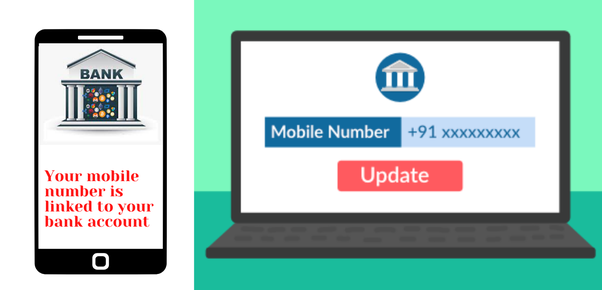
     Many times it happens that the registered mobile number in the bank is either lost or it gets closed, in such a situation, bank customers have to face problems in withdrawing money or in many important information related to OTP. If you are also one of those people then this news will make you happy.

    It is known that for doing many things related to banking, you need OTP on the mobile number. Due to the security region, it is very important for the users to have their mobile number linked to the account. But if your number stops working or you just want to change your number then there are some procedures for this.

    - Advertisement -

    Through which you can easily do this. If you talk about the country’s largest bank State Bank of India (SBI), then you can change your mobile number through mobile number, with the help of ATM or even through net banking.

    How to change number in SBI

    • First you have to log in to your account, and go to Profile tab and click on Personal details.
    • After that enter your profile password.
    • On clicking ‘Change Mobile Number-Domestic only (Through OTP/ATM/Contact Centre)’ a new window will open in front of you.
    • In which there will be three tabs – Create Request, Cancel Request and Status.
    • Now here you enter your new mobile number and fill it again and submit.
    • Now a pop up message will appear in front of you in which you will have to confirm the correctness of the mobile number.
    • After doing OK a new screen will open.
    • On the new screen, you will see three options – through OTP on both the mobile numbers, IRATA: Internet Banking request approval through ATM and Approval through contact center.


    - Advertisement -
    • TAGS
    • bank account
    • How to change number in SBI
    Share
    Facebook
    Twitter
    Pinterest
    WhatsApp
      Previous articleRBI Guidelines : RBI made new rules! for credit-debit cards! Cardholder will get ₹ 500 per day
      Next articlePost Office PPF Scheme: PPF account will be opened in the post office also, you get all these benefits
      Sunil Kumar
      Sunil, has 4 years of experience in writing Finance Content, Entertainment news, Cricket and more. He has pursuing MBA in Finance. He loves to Cycle daily and read books in free time. In case of any complain or feedback, please contact me @ discountwalas@gmail.com

      RELATED ARTICLESMORE FROM AUTHOR

      iOS 27 Wallet App: Apple Plans New ‘Create a Pass’ Customization Tool

      iPhone 18 Pro Max Leak: Smaller Dynamic Island and A20 Pro Specs Revealed

      West Bengal Election Result 2026: Suvendu Defeats Mamata in Bhabanipur

      EDITOR PICKS

      iOS 27 Wallet App: Apple Plans New ‘Create a Pass’ Customization Tool

      May 5, 2026

      iPhone 18 Pro Max Leak: Smaller Dynamic Island and A20 Pro Specs Revealed

      May 5, 2026

      West Bengal Election Result 2026: Suvendu Defeats Mamata in Bhabanipur

      May 5, 2026

      POPULAR POSTS

      iOS 27 Wallet App: Apple Plans New ‘Create a Pass’ Customization Tool

      May 5, 2026

      iPhone 18 Pro Max Leak: Smaller Dynamic Island and A20 Pro Specs Revealed

      May 5, 2026

      West Bengal Election Result 2026: Suvendu Defeats Mamata in Bhabanipur

      May 5, 2026

      POPULAR CATEGORY

      • Personal Finance6448
      • News Update5103
      • Technology2252
      • Government Scheme1435
      • Income Tax491
      • Jobs490
      • Investment275
      • Education233

      ABOUT US

      Discountwalas.com is your news, discount, latest offers and much more. We provide you with the latest breaking news and videos straight from the entertainment industry.

      Contact us: discountwalas@gmail.com

      FOLLOW US

      Facebook
      Twitter

      © discountwalas.com 2023 Powered by Izon web pvt. ltd.

      • Home
      • Privacy Policy
      • About Us
      • Authors and Team
      • Contact Us
      • Cookie Policy
      • Correction policy
      • Disclaimer
      • DNPA Code of Ethics
      • Fact-Checking Policy
      • Onwership and Funding
      • Terms of use