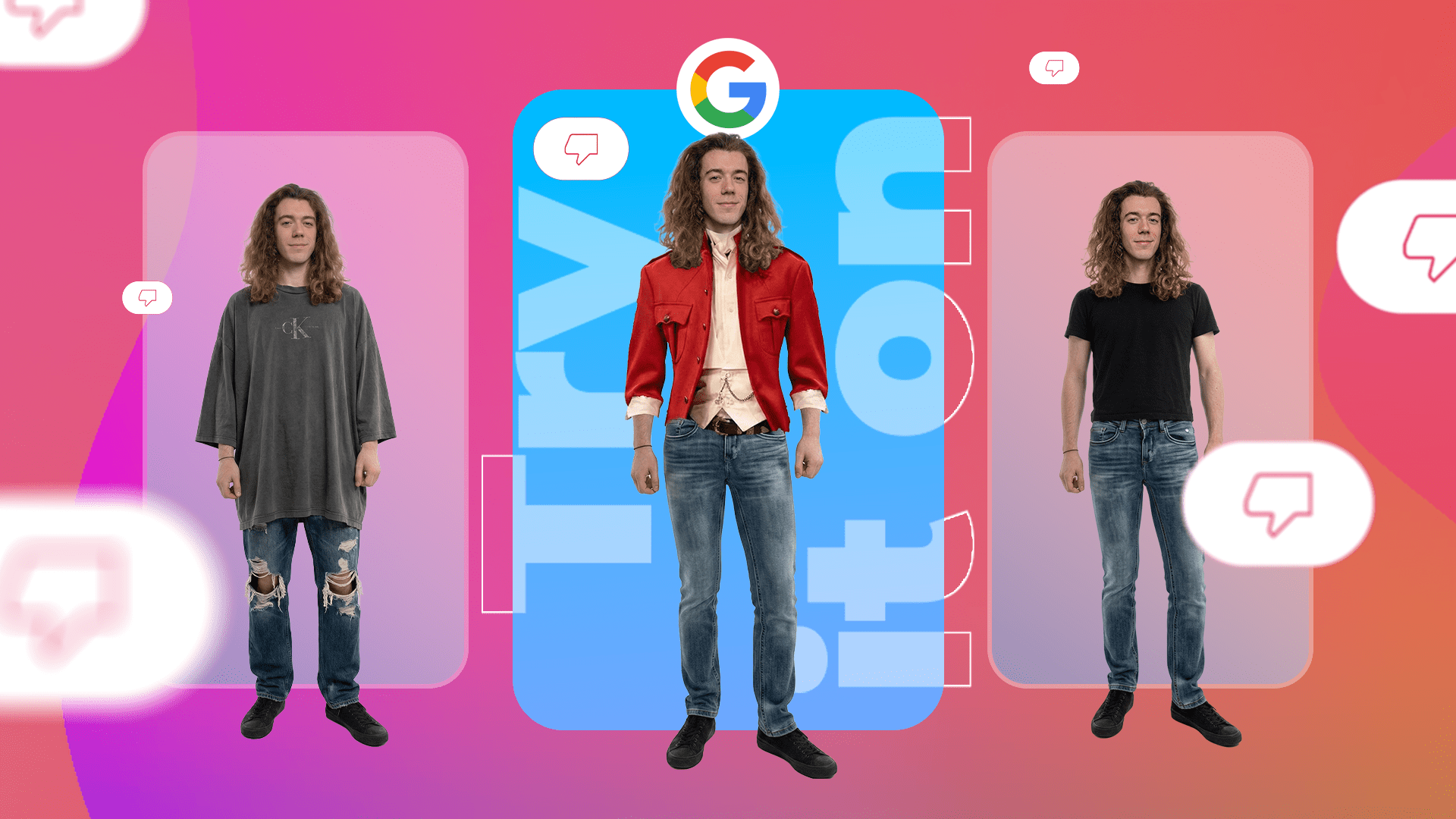
Now Google is transforming your photo library into a personal stylist. The upcoming Google Photos wardrobe feature uses artificial intelligence to scan your images. Therefore, it identifies every clothing item you have ever worn. Meanwhile, the tool organizes these pieces into a structured digital collection. Thus, you can now manage your entire closet without ever opening your bedroom doors.
Also Read | Imran Khan and Bushra Bibi Sentenced to 17 Years in Jail
The Digital Closet: How the AI Scan Works
Now Google is pushing the boundaries of image recognition. The new Google Photos wardrobe feature functions as a high-tech scanner for your past. Therefore, it looks through years of your memories to find clothing.
First, the AI identifies specific shirts, pants, and jackets in your pictures. Next, it isolates these items from the background. Thus, it creates a clean digital representation of your actual wardrobe.
Meanwhile, you do not need to take new photos of your clothes. Therefore, the app uses what you already have stored in the cloud. So the setup process is almost entirely automatic.
So how accurate is it?
First, Google uses advanced neural networks to distinguish between textures and patterns. Next, it can recognize the difference between a casual hoodie and a formal blazer. Thus, your digital library becomes a highly accurate mirror of your physical closet.
Finally, the system updates itself every time you upload a new photo.
Automatic Categorization: Beyond Simple Storage
Now the tool does more than just find your clothes. It acts as an expert librarian for your fashion. Therefore, the Google Photos wardrobe feature brings order to the chaos of a messy closet.
First, the AI sorts items into distinct categories. It places casual tops in one folder and jewelry in another. Next, it identifies accessories like belts, watches, and hats. Thus, you can view your entire inventory at a single glance.
Meanwhile, the filtering options are incredibly robust. Therefore, you can search for “red dresses” or “winter coats” in seconds.
So why does this matter?
First, most people forget about 20% of the clothes they own. Next, those items often sit at the bottom of a drawer for years. Thus, the app helps you rediscover lost favorites.
Finally, the structured view makes it easier to identify gaps in your wardrobe.
Outfit Planning: Mix and Match with Ease
Now you can stop laying clothes out on your bed to see if they match. The Google Photos wardrobe feature includes a powerful digital planning tool. Therefore, you can experiment with new looks while sitting on the bus.
First, you select a top from your digital collection. Next, you drag and drop different bottoms to see which works best. Thus, you can visualize a complete outfit without ever getting dressed.
Meanwhile, these digital combinations are fully saveable. Therefore, you can build a library of “go-to” looks for Monday mornings.
So can you share these ideas?
First, the app allows you to send outfit previews to your friends. Next, they can offer feedback or suggest changes. Thus, choosing a Saturday night outfit becomes a collaborative experience.
Finally, this feature saves significant time during busy work weeks.
Also Read | Imran Khan and Bushra Bibi Sentenced to 17 Years in Jail
Virtual Try-On: The Future of Fashion Tech
Now the most futuristic part of the update involves the virtual try-on. This goes beyond simple collage making. Therefore, the Google Photos wardrobe feature helps you see the “fit” of a new combination.
First, the AI uses your past body data from photos to simulate how clothes drape. Next, it overlays different items to check for color harmony. Thus, you can preview a look with surprising realism.
Meanwhile, this reduces the need for physical experimentation. Therefore, you avoid the mess of trying on ten different outfits before an event.
So does it work with new purchases?
First, you can likely add screenshots of clothes you want to buy. Next, the AI can “match” them with your existing wardrobe. Thus, you can see if that new expensive shirt actually works with the pants you already own.
Finally, it encourages users to be more creative with their style.
Mood Boards: Organizing Your Style Inspiration
Now organization extends to specific events. The Google Photos wardrobe feature allows you to create dedicated mood boards. Therefore, you can plan for the long term.
First, you can create a board specifically for a summer wedding. Next, you can gather ideas for a tropical vacation. Thus, all your inspiration stays in one convenient place.
Meanwhile, these boards act as a visual “To-Do” list for your fashion. Therefore, you can track exactly what pieces you still need to find.
So how is this different from Pinterest?
First, these boards use your actual clothes. Next, they link directly to your photo history. Thus, the inspiration is grounded in reality rather than professional models.
Finally, it turns the app into a comprehensive styling assistant.
Ending the “Nothing to Wear” Dilemma
Now we all know the feeling of a full closet and zero ideas. The Google Photos wardrobe feature aims to solve this permanent problem. Therefore, it acts as a memory aid for your personal style.
First, it reminds you of combinations that looked great in the past. Next, it suggests new ways to wear old items. Thus, you get more value out of every purchase.
Meanwhile, the tool encourages “closet shopping.” Therefore, you might find that you don’t actually need to buy more clothes.
So is it good for the environment?
First, better use of existing clothes reduces fast-fashion waste. Next, it prevents you from buying duplicate items. Thus, the AI contributes to a more sustainable lifestyle.
Finally, it gives you a clear sense of your personal brand.
Also Read | Imran Khan and Bushra Bibi Sentenced to 17 Years in Jail
Rollout Timeline: Android vs. iOS
Now you are probably wondering when you can start scanning. Google has a clear plan for the rollout this year. Therefore, you should check your app store soon.
First, the feature will launch on Android devices this summer. Next, Google Pixel users will likely get early access. Thus, they can test the AI before the general public.
Meanwhile, iOS users will have to wait a bit longer. Therefore, the update for iPhones is expected later in the year.
So what should you do now?
First, ensure your Google Photos app is up to date. Next, start organizing your current photos with labels. Thus, you make it even easier for the AI to find your best outfits later.
Finally, keep an eye out for the “Wardrobe” tab in the bottom navigation bar.
The Bigger Picture: Google’s AI Evolution
Now this update represents a larger shift for the company. Google Photos is no longer just a storage bucket. Therefore, it is becoming an active participant in your daily life.
First, we saw the Magic Eraser for editing. Next, we got Gemini-powered search. Thus, the wardrobe feature is the next logical step in “functional AI.”
Meanwhile, other Google services are integrating similar tools. Therefore, Google TV is now using Gemini for design.
So where is this headed?
First, your photos will soon act as a data source for many lifestyle tools. Next, the AI will predict your needs before you even realize them. Thus, your phone becomes a proactive partner.
Finally, this update proves that AI is most useful when it solves small, everyday stresses.
Common Questions (FAQ)
1. How do I access the Google Photos wardrobe feature? Now you will find a new “Wardrobe” tab in the app. Therefore, once the summer update rolls out, it will appear automatically for most users.
2. Does it work with old photos? First, yes. The AI scans your entire historical library. Next, it identifies clothes from years ago. Thus, you can rediscover long-lost outfits.
3. Is the wardrobe feature free to use? Meanwhile, it appears to be a standard update for Google Photos users. Therefore, as long as you have a Google account, you should get access.
4. Can I share my digital outfits with friends? So yes. You can save combinations and share them as images. Thus, you can get fashion advice from your social circle easily.
5. What happens if the AI identifies an item incorrectly? First, you can manually edit the tags. Next, you can re-categorize items yourself. Thus, you maintain full control over your digital closet.
6. When is the Android release date? Finally, Google plans to start the rollout this summer. Therefore, keep your app updated throughout June and July.
Also Read | Imran Khan and Bushra Bibi Sentenced to 17 Years in Jail
End…