

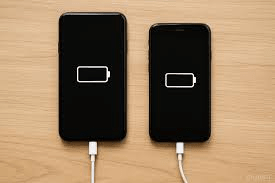
Now millions of smartphone users are facing a frustrating mystery: Why is a high-end device suddenly charging slowly even when using the original fast charger? Therefore, the culprit isn’t usually a damaged cable or a faulty adapter, but a hidden battery protection feature. “Adaptive Charging” is an intelligent software tool built into modern Android smartphones that deliberately slows down your charging speed to preserve long-term battery health. Meanwhile, while this feature is a mechanical necessity for making batteries last four to six years, it can be a major inconvenience when you need a quick power boost. Following the latest Android updates, here is how you can find this setting and decide whether to keep it on or off.
Also Read | Imran Khan and Bushra Bibi Sentenced to 17 Years in Jail
What is Adaptive Charging? Understanding the AI-Driven Slowdown
Now Adaptive Charging is not a bug, but a sophisticated battery management feature. Instead of allowing your phone to rush from 0 to 100 percent at the maximum wattage supported by your brick, the software intervenes. Therefore, the charging curve is flattened to minimize the chemical stress on the battery’s internal components.
First, the software studies your daily routine to determine when you actually need a full charge. Next, it limits the intake of current during hours it deems “non-essential.” Thus, your fast charger might only be operating at a fraction of its true power because the phone is telling it to slow down.
So while this helps the battery last longer, it can be deeply confusing for a user who expects a quick charge in the middle of a busy day. Meanwhile, many people mistakenly assume their hardware is failing. Therefore, understanding the “intelligence” behind the slow charge is the first step to fixing it.
The Overnight Logic: How Your Phone Predicts Your Routine
Now the most common scenario for Adaptive Charging is the overnight session. If you plug in your phone at 11 PM and have an alarm set for 7 AM, the phone recognizes this eight-hour window. Therefore, it will charge quickly to 80 percent and then “pause” or trickle-charge for the next six hours.
First, the final 20 percent is only added just before you wake up. Next, this specific strategy prevents the battery from sitting at 100 percent “full stress” for the entire night. Thus, heat and internal degradation are significantly reduced, which is a mechanical necessity for modern high-capacity cells.
So if you wake up unexpectedly early, you might find your phone is only at 80 percent. Meanwhile, this “prediction” is what causes the perception of slow charging. Therefore, the feature is highly effective for those with a consistent sleep schedule but annoying for those with irregular routines.
Hack of the Day: Step-by-Step Guide to Disabling the Setting
Now if you find that your phone is charging unusually slowly during the day, or if you simply prefer maximum speed at all times, you can turn this feature off. Therefore, you can reclaim the full potential of your 65W, 80W, or 120W chargers instantly.
How to Disable Adaptive Charging:
-
Open Settings: Go to your phone’s main settings menu.
-
Navigate to Battery: Look for the “Battery” or “Battery & Device Care” section.
-
Find the Toggle: Tap on “Battery Health” or “Charging Optimisation.”
-
Switch it OFF: Locate “Adaptive Charging” and toggle the switch to the off position.
First, depending on your Android skin (OxygenOS, OneUI, Pixel UI), the menu names might vary slightly. Next, once disabled, you should notice an immediate increase in charging speed the next time you plug in. Thus, the software-based “brake” on your hardware is removed.
Also Read | Imran Khan and Bushra Bibi Sentenced to 17 Years in Jail
The Performance Boost: What Happens When You Turn It OFF
Now once you disable the optimization setting, your phone returns to its “native” fast-charging profile. This means it will pull as much current as the thermal safety limits and the charger allow. Therefore, the time taken to go from 20% to 80% can be slashed by 30 to 50 percent.
First, users on platforms like Reddit have reported significant “instant” fixes after disabling these features. Next, this is especially helpful during software beta updates where these settings are sometimes recalibrated to be more aggressive. Thus, the “full speed” experience is restored for those who prioritize time over long-term wear.
So you no longer have to worry about the phone “guessing” when you’ll unplug it. Meanwhile, you will see the fast-charging animation or indicator stay active for a much longer duration. Therefore, this simple hack is the most effective way to troubleshoot a “slow” charging experience.
Battery Health vs. Speed: What the Experts Warn
Now while turning off the setting provides a speed boost, it is important to understand the trade-off. Battery experts warn that permanently disabling Adaptive Charging may increase the rate of battery capacity loss. Therefore, your phone might hold less of a charge after two or three years of heavy use.
First, keeping a lithium-ion battery at 100 percent for long periods causes chemical degradation. Next, fast charging generates more heat, which is the primary enemy of battery lifespan. Thus, the “slow” charge is actually a protective shield for your device’s longevity.
So if you plan on keeping your phone for more than four years, you might want to leave the setting on for overnight charging. Meanwhile, if you upgrade your phone every year or two, the long-term wear is less of a concern. Therefore, the choice between speed and health depends entirely on your usage cycle.
Why Brands Enable It: The Pressure for Hardware Longevity
Now smartphone companies are under immense pressure to improve the lifespan of their products. As prices rise, users in markets like India are keeping their devices for much longer than in previous years. Therefore, ensuring the battery doesn’t “die” in year three is a critical engineering goal.
First, heat management is the biggest challenge for 2026-era fast charging. Next, by enabling Adaptive Charging by default, brands can claim their batteries will stay “healthy” for 1,600 or more charge cycles. Thus, software-based charging management is the most cost-effective way to preserve hardware.
So recent Android versions have moved these settings to the forefront of the UI. Meanwhile, the goal is to make the charging experience “invisible” and “proactive.” Therefore, the default “ON” state is a strategic move to reduce warranty claims and improve the long-term user experience.
Also Read | Imran Khan and Bushra Bibi Sentenced to 17 Years in Jail
Modern Solutions: Smarter ‘Priority Charging’ Systems in 2026
Now as we move further into 2026, Android is testing even smarter “Priority Charging” systems. These systems can automatically balance the need for speed and the need for safety. Therefore, the phone might only slow down when it detects that you are asleep or when the internal temperature crosses a certain threshold.
First, these upcoming updates aim to reduce the “confusion” caused by current Adaptive Charging. Next, the phone will better communicate why it is charging slowly through clearer notifications. Thus, the “hidden setting” will eventually become a transparent part of the user experience.
So the tech is evolving to be less intrusive and more helpful. Meanwhile, checking your current settings remains the best “hack” for fixing immediate speed issues. Therefore, don’t rush to buy a new charger until you’ve audited your battery software.
FAQ: Frequently Asked Questions on Slow Smartphone Charging
1. Why is my phone charging slowly even with a 100W charger? Now, it is likely that “Adaptive Charging” is enabled. This setting slows down the intake of power to protect the battery from heat and stress.
2. Is it safe to turn off Adaptive Charging? First, yes, it is perfectly safe. However, turning it off may cause your battery to degrade slightly faster over several years of use.
3. Does Adaptive Charging only work at night? So it primarily activates when it detects a long charging session, but some phones also slow down charging if the battery gets too hot during the day.
4. Where can I find this setting on my Android phone? Next, check Settings > Battery > Adaptive Charging or Settings > Battery Health > Charging Optimisation.
5. Why did my phone stop charging at 80%? Now, this is a core part of battery protection. The phone “pauses” at 80% and finishes the last 20% just before you usually wake up.
6. Will disabling this setting make my phone hotter? Finally, yes. Full fast charging generates more heat than optimized slow charging, which is why brands recommend keeping the feature enabled.
Also Read | Imran Khan and Bushra Bibi Sentenced to 17 Years in Jail
End…

