

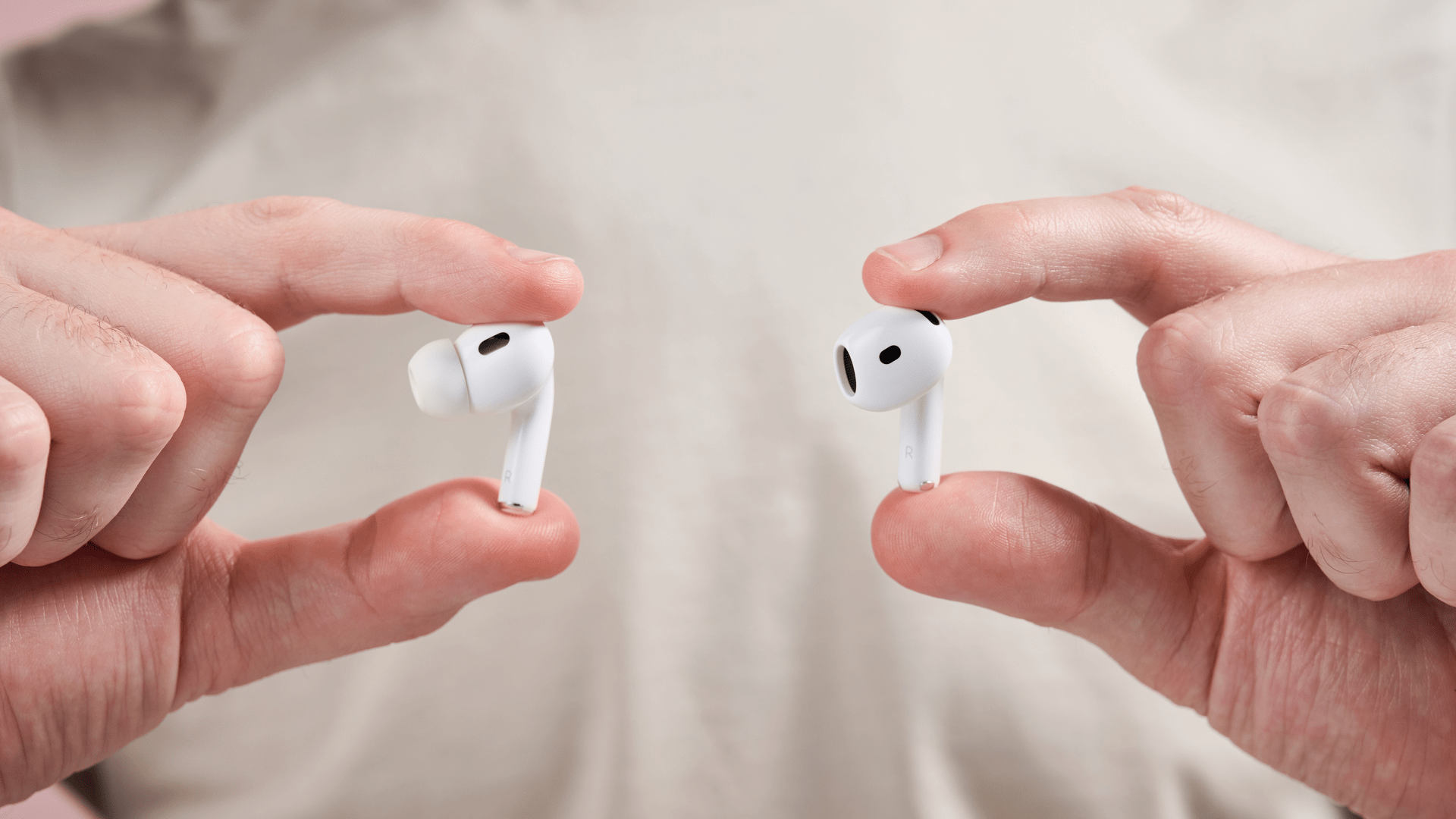
Now the daily convenience of your wireless audio setup can be completely disrupted by a highly frustrating technical anomaly. If one of your true wireless earbuds consistently shuts down before the other, you are navigating a massive, systemic issue shared by millions of users worldwide. Therefore, recognizing why this uneven power depletion occurs is essential to restoring symmetry to your personal listening experience. Meanwhile, your portable hardware components rarely suffer from absolute terminal failure when these symptoms manifest early. Following a few simple maintenance and software recalibration steps, you can treat this audio imbalance as a manageable challenge. Maximizing the lifespan of your compact lithium-ion cells remains an immediate mechanical necessity throughout 2026.
Also Read | Imran Khan and Bushra Bibi Sentenced to 17 Years in Jail
The Master Node Problem: Unpacking the Primary Connection Burden
Now the underlying operational layout governing true wireless audio systems reveals why uneven drainage is so common. In many standard earbud architectures, a single side is systematically chosen by the software to act as the primary bridge. Therefore, that specific unit works twice as hard by connecting simultaneously to your handset and its secondary twin.
First, this layout places immense, continuous transmission burdens on a single tiny integrated circuit. Next, the master node handles the core data routing, processing the incoming stereo packet stream before splitting the audio field. Thus, this uneven workload acts as a logical mechanical necessity for driving down the cell capacity on that specific side.
So you will notice the master node dropping its power percentage markers significantly faster during prolonged listening intervals. Meanwhile, some premium modern audio chips attempt to rotate this master designation dynamically to balance the load. Therefore, understanding this core communication matrix helps explain why one side naturally ages faster than its partner.
Microphone and Peripheral Tax: Why Voice Inputs Drain Cells
Now physical connectivity isn’t the sole operational element draining power from a single side of your headset. Utilizing active voice assistant tracking, executing frequent capacitive touch shortcuts, and deploying localized microphones create heavy secondary energy demands. Therefore, minor individual use habits alter your daily power consumption maps over time.
First, if you habitually pull out a specific side to answer business calls, that individual bud triggers its active noise cancellation microphones. Next, running these complex processing arrays requires a steady, heightened current draw from the internal micro-battery. Thus, the physical cell framework undergoes accelerated cycle wear compared to the resting passenger side.
So over several months of daily use, this localized micro-drain results in noticeable performance gaps between the pieces. Meanwhile, digital assistants that listen continuously for hot-word activations keep the microphone circuits constantly awake. Therefore, balancing your call allocations between both sides is an excellent strategy to prevent single-sided failure patterns.
The Contact Barrier: De-Oxidizing Pins and Cradle Interactivity
Now before assuming your internal power storage cells are permanently compromised, you must check your physical charging environment. Dust, body oils, and compressed earwax frequently migrate down into the lower seating boundaries of your charging cradle. Therefore, these subtle blockages form an invisible insulating barrier that cuts off incoming power.
-
The Contact Restoration Protocol:
-
Inspection Phase: Examine the tiny metallic pogo pins inside the base using a clear light source.
-
Mechanical Clearance: Use a dry, lint-free cotton swab to sweep away localized residue build-ups.
-
Chemical Neutralization: Apply a minimal drop of high-purity isopropyl alcohol to dissolve stubborn oils safely.
-
Verification Check: Re-seat the hardware and confirm the LED charging indicator pulses consistently.
-
First, even a microscopic layer of oil can trick the internal circuitry into assuming an earbud is fully charged when it is empty. Next, this leaves you with a dead accessory the moment you break the magnetic connection to head out. Thus, maintaining clean structural touchpoints remains an absolute requirement for consistent power delivery.
Also Read | Imran Khan and Bushra Bibi Sentenced to 17 Years in Jail
System Hard Resets: Re-Pairing Separate Left-Right Bluetooth Fields
Now if your charging contacts are completely pristine yet the audio imbalance persists, a software desynchronization is likely occurring. The internal microcontrollers inside left and right housing components can occasionally drop their shared connection keys. Therefore, executing a full system hard reset is required to rebuild a unified stereo profile.
First, access your brand’s official application or utilize the manual button layouts built directly into the exterior casing. Next, holding down the capacitive sensors for a designated ten-second window will wipe out all temporary registry profiles. Thus, the hardware forces a clean master handshake, repairing the internal digital communication channels completely.
So this reset process resolves common tracking glitches where one side simply stops acknowledging incoming current feeds. Meanwhile, the software alignment ensures that both components draw identical power volumes while processing media. Therefore, executing a clean hardware refresh serves as a vital diagnostic step before seeking a replacement.
The Network Forget Cycle: Flushing Corrupt Audio Streams from iOS or Android
Now your host mobile operating system can also accumulate corrupted Bluetooth connection logs that target a single audio channel. When your smartphone’s wireless stack experiences internal memory leaks, it may continuously misreport real-time battery analytics. Therefore, clearing out your local device registration matrix helps restore clear data reporting.
The Network Unpairing Progression:
-
Step 1: Navigate directly into your handset’s main Settings > Bluetooth directory block.
-
Step 2: Locate the specific nomenclature of your accessory and select the Forget This Device icon.
-
Step 3: Perform a full cycle restart on your phone to clear out residual background network processes.
-
Step 4: Re-initiate the physical pairing sequence by opening the charging case near the handset.
First, this complete unpairing cycle clears away any stuck caching parameters that were misallocating volume outputs. Next, it ensures that your phone distributes equal audio gain metrics to both geographic fields. Thus, the software refresh acts as a mechanical necessity to eliminate false hardware failure warnings.
Destructive Power Habits: Halting Midnight Overcharging Overheads
Now macro-level battery engineering reveals that our smallest daily habits directly shape the life expectancy of our tech devices. Leaving your charging case attached to a live wall outlet overnight creates high, unneeded thermal stress profiles. Therefore, adjusting your charging routines is highly recommended to prevent premature component wear.
First, micro-scale lithium cells are highly sensitive to long exposures to high ambient heat environments. Next, keeping the cells locked at maximum voltage capacity for hours accelerates the breakdown of the internal chemical gel. Thus, avoiding overnight charging cycles safeguards the overall health of your portable power components.
So setting a simple timer or charging your case during active office hours keeps the thermal footprint low. Meanwhile, using a single earbud for hours while leaving its twin in the case throws off the cycle wear balance completely. Therefore, practicing balanced usage preserves the long-term technical excellence of your audio hardware.
Also Read | Imran Khan and Bushra Bibi Sentenced to 17 Years in Jail
Single Asset Replacement: Navigating Micro-Sourcing Solutions Cost-Effectively
Now if you have executed every cleaning step, system reset, and software unpairing code to no avail, a physical cell breakdown is confirmed. When a microscopic battery reaches the absolute end of its chemical lifecycle, it can no longer hold an electrical charge. Therefore, you must look at practical sourcing strategies to resolve the hardware gap.
-
Sourcing Solutions Matrix:
-
Single-Unit Purchases: Check official brand catalogs for independent left or right piece replacements.
-
Warranty Claims: Submit diagnostic logs to factory support if your purchase sits within the coverage window.
-
Refurbished Nodes: Explore certified technical clearinghouses for standalone matched units.
-
First, purchasing a single replacement earbud avoids the high cost of buying a completely new retail package. Next, modern companion apps feature simple automated pairing programs to synchronize a new piece with your original case. Thus, single-unit matching provides an excellent path toward sustainable, cost-effective tech ownership.
FAQ: Restoring Equilibrium to Your Wireless TWS Environment
1. Why does my left or right wireless earbud always run out of power first? Now, this occurs because one earbud defaults as the “master node,” handling the primary connection to your phone while routing audio data to its twin.
2. Can earwax block my earbuds from receiving a proper charge? First, yes. Accumulated earwax, skin oils, or dust form an insulating barrier over the metallic contacts, preventing current from entering.
3. How often should I execute a hard system reset on my audio gear? So, it is generally recommended only when you encounter persistent sync errors, single-sided audio drops, or erratic battery readouts.
4. Will charging my earbud cradle overnight destroy the internal batteries? Next, while modern cases feature basic cutoff systems, leaving them on live chargers for long periods increases thermal stress and ages cells faster.
5. Is it possible to buy just one replacement earbud if mine dies completely? Now, yes. Many prominent electronics brands offer single-earbud replacements through official service paths, saving you from buying a new pair.
6. Does using voice assistants increase single-sided battery drain? Finally, yes. Keeping microphones active for continuous voice tracking requires a steady current draw that drains that active side faster.
Also Read | Imran Khan and Bushra Bibi Sentenced to 17 Years in Jail
End…..

